Google Messages continues to evolve, particularly with its embrace of RCS, which has allowed for richer features in the app. This shift reflects a broader trend in messaging services, where enhanced functionality is becoming the norm rather than the exception. Recently, Google introduced chat themes, enabling users to customize their messaging experience far beyond the previously limited bubble color options. This new feature allows users to select from various photos, including personal uploads, to serve as backgrounds for their chats, alongside color-matched chat bubbles. This personalization aspect recognizes that users want more than just plain text and muted colors; they want to express themselves through their communication tools.
Changing Your Chat Theme in Google Messages
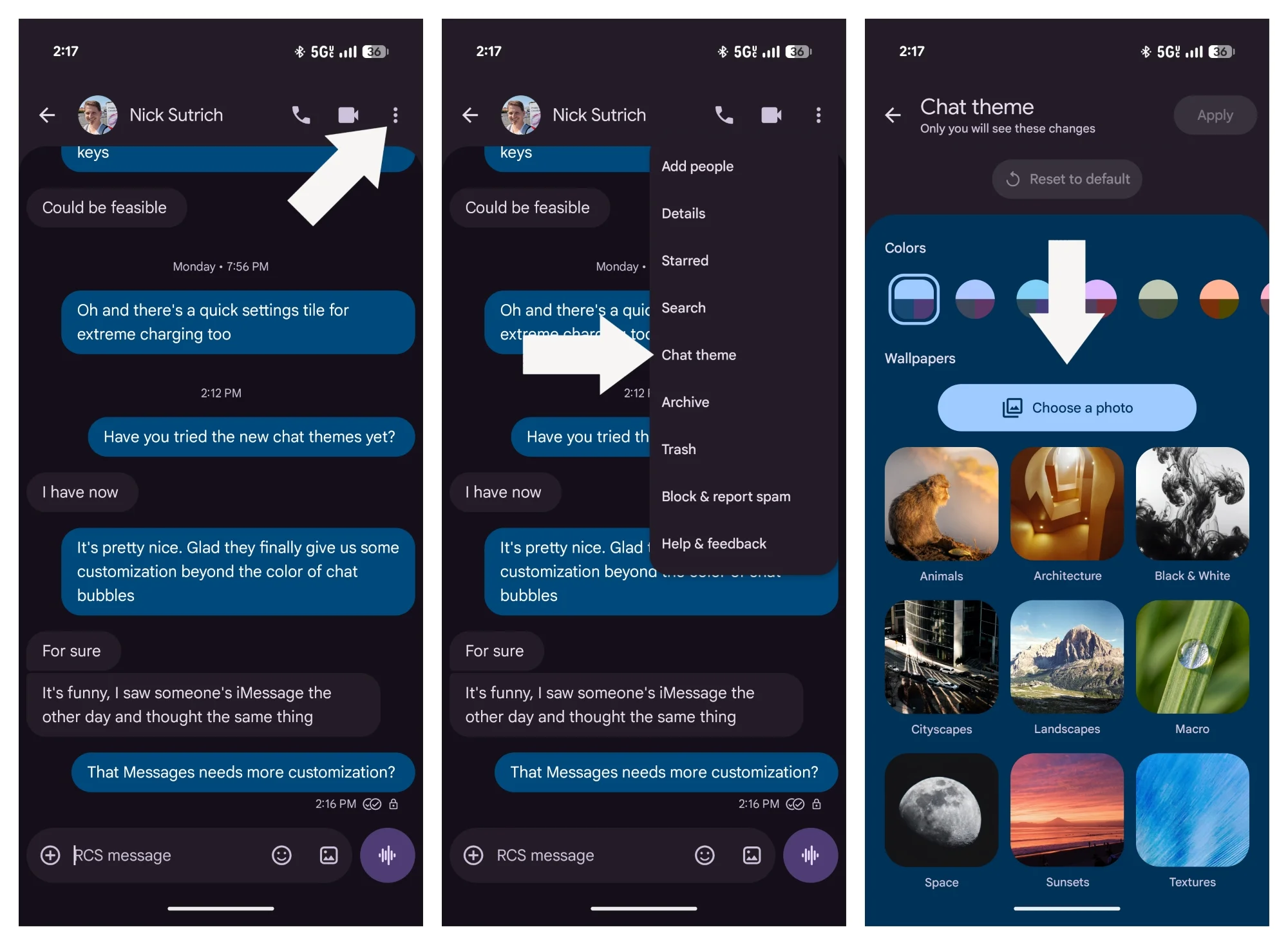
1. Open any message thread and tap on the three dots in the upper right corner.
2. From the menu, select Chat theme.
3. Choose a theme from the options provided, or opt for Choose a photo to upload an image from your gallery. This flexibility is great because it allows users to reflect their personality or current mood directly in their conversations.
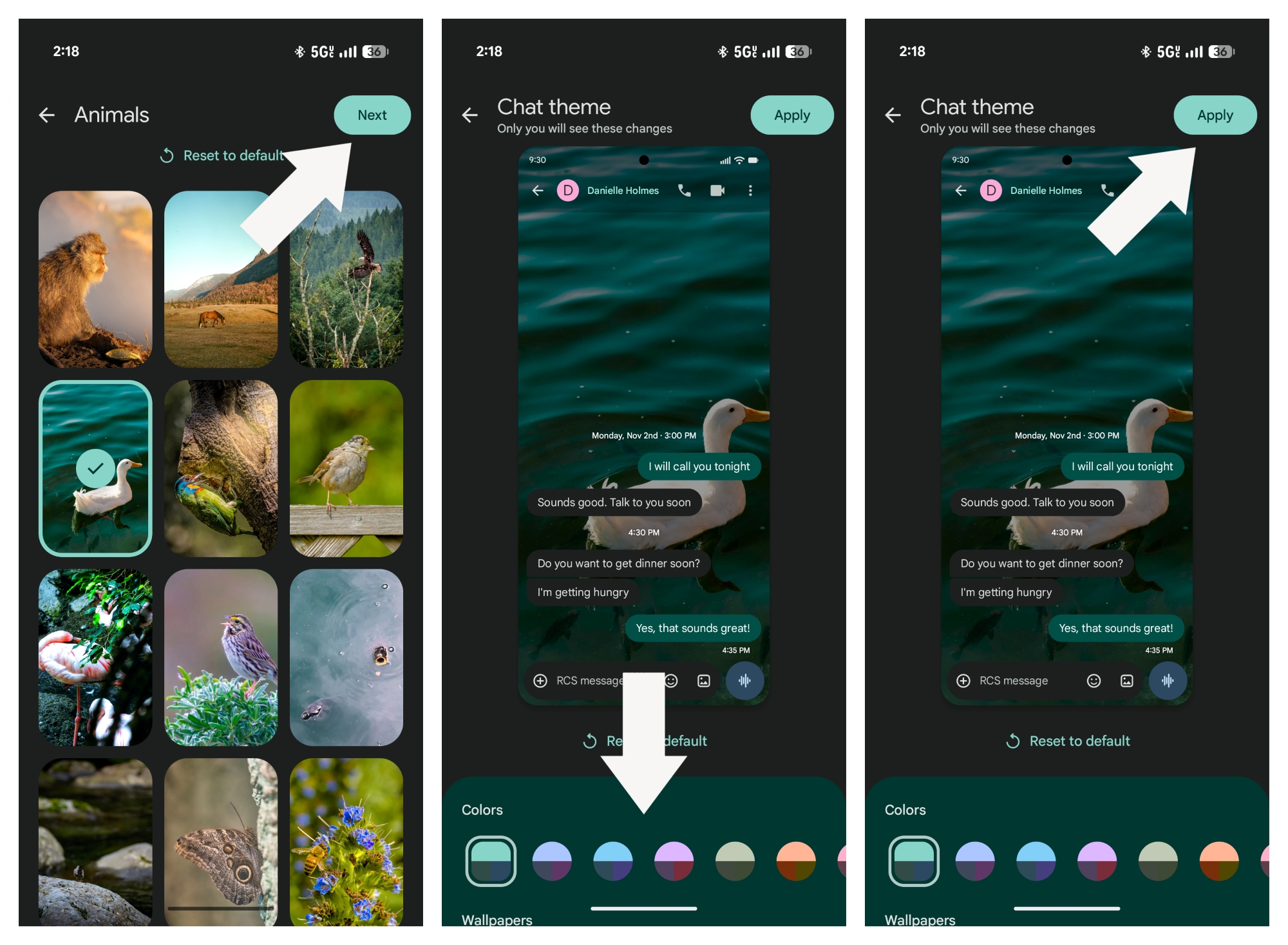
4. After selecting an image, tap Next.
5. Choose a color combination from the Colors row or stick with the automatic match. You can preview how your selected theme looks in a provided demo. This instant feedback is essential for users who may want to see their options in action before making a final choice.
6. Hit Apply to finalize your new chat theme. Now you can enjoy a personalized chat environment! However, it'll be fascinating to see how this feature holds up against the competition.
The Pros and Cons of Chat Themes
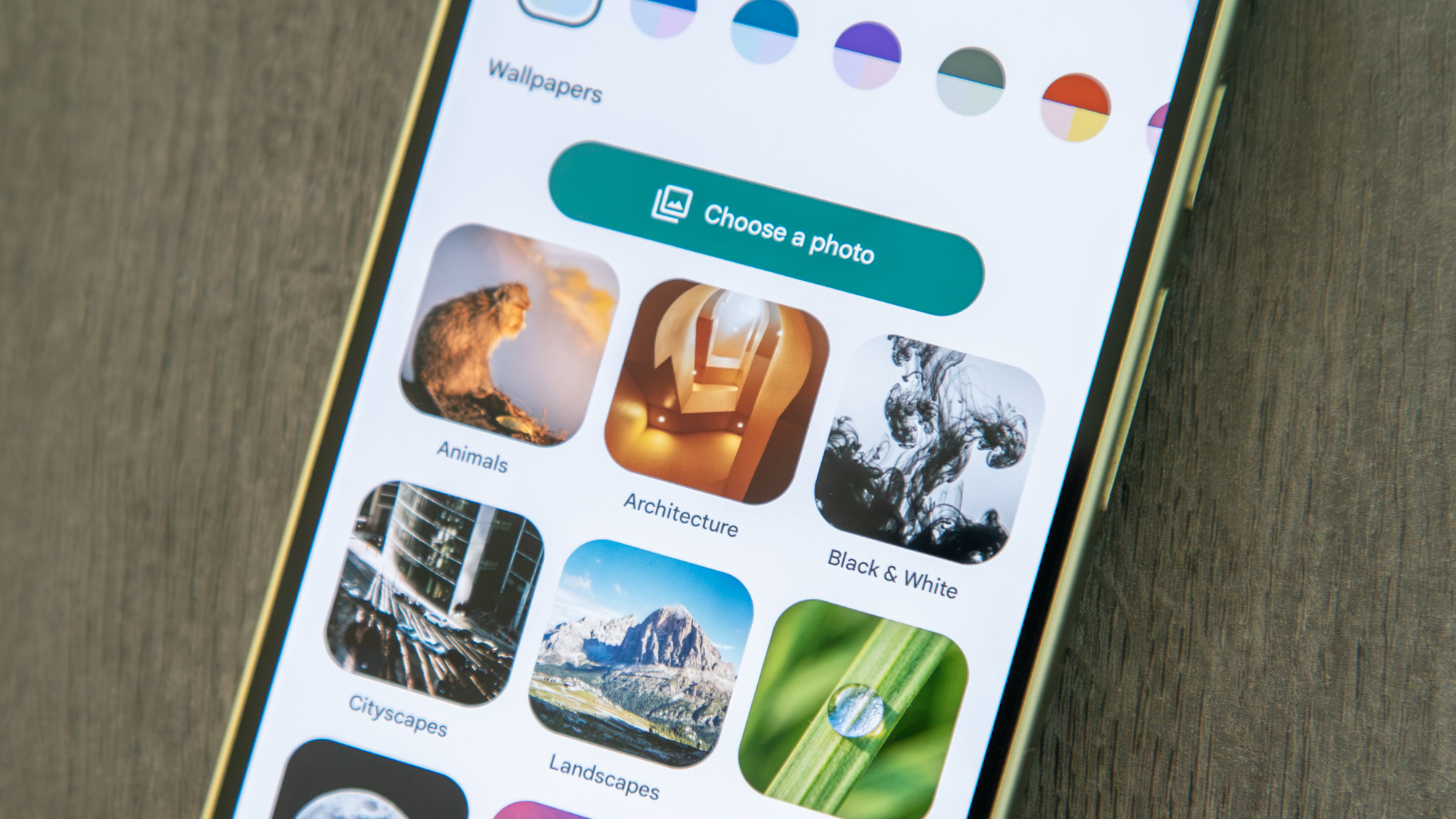
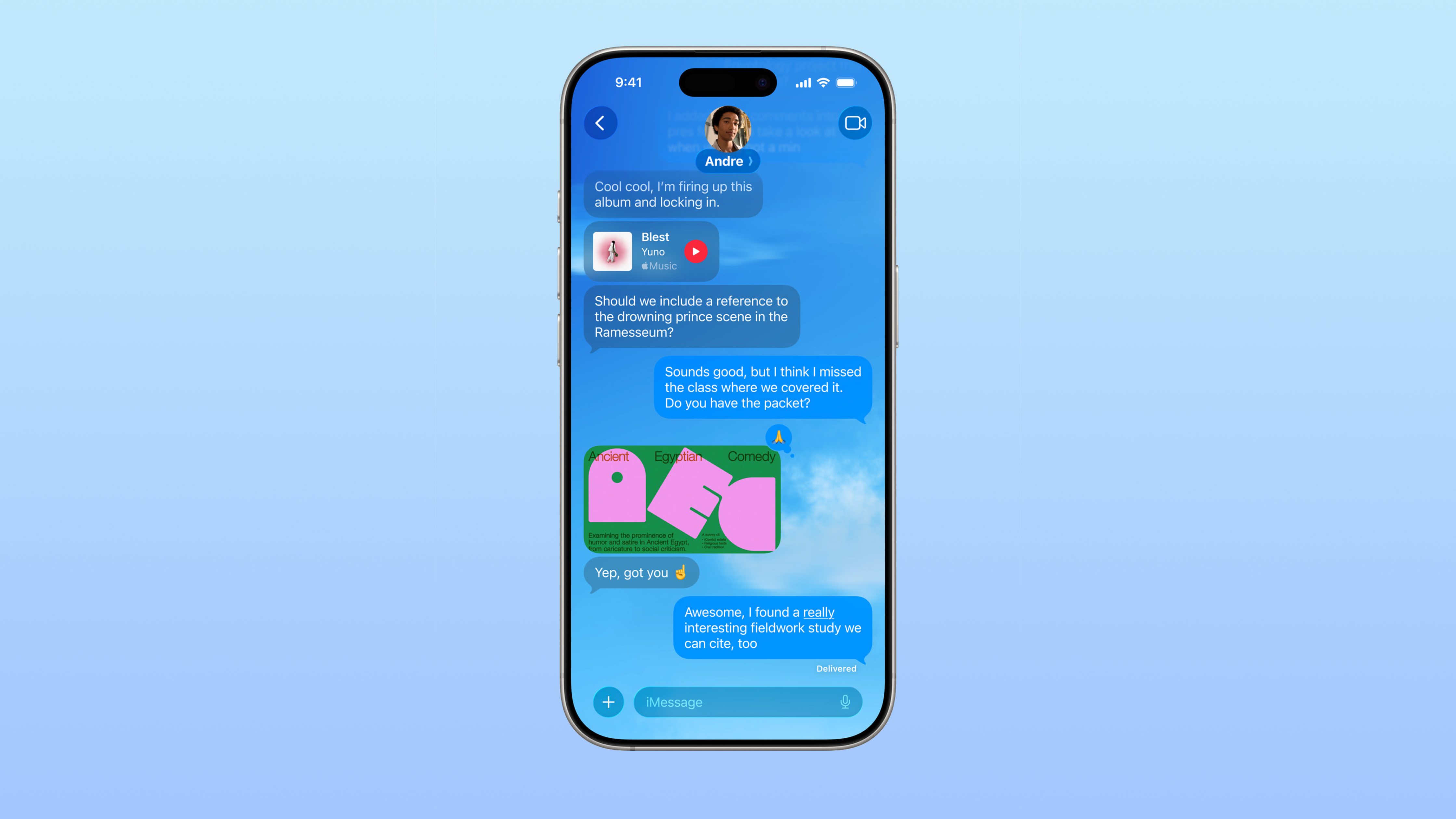
Implementing chat themes is a welcome change; it injects life into the otherwise basic interface of Google Messages. The ability to select from various backgrounds and match bubble colors represents a significant enhancement in user customization. However, it leaves room for improvement. While Google has upped the ante, there's still a sense of monotony from the previous limited options. Chat themes might rival some of the appeal found in Apple Messages' Backgrounds, yet their implementation lacks a few key elements which could truly elevate the user experience.
A glaring omission is the absence of integration with Nano Banana, Google's AI enhancements that could have generated personalized backgrounds tailored to user preferences. Incorporating AI could mimic features from Apple, where users can describe or edit backgrounds using the technology. (And this is the part most people overlook.) Such capabilities not only enhance user engagement but also provide a layer of novelty that keeps the messaging experience fresh.
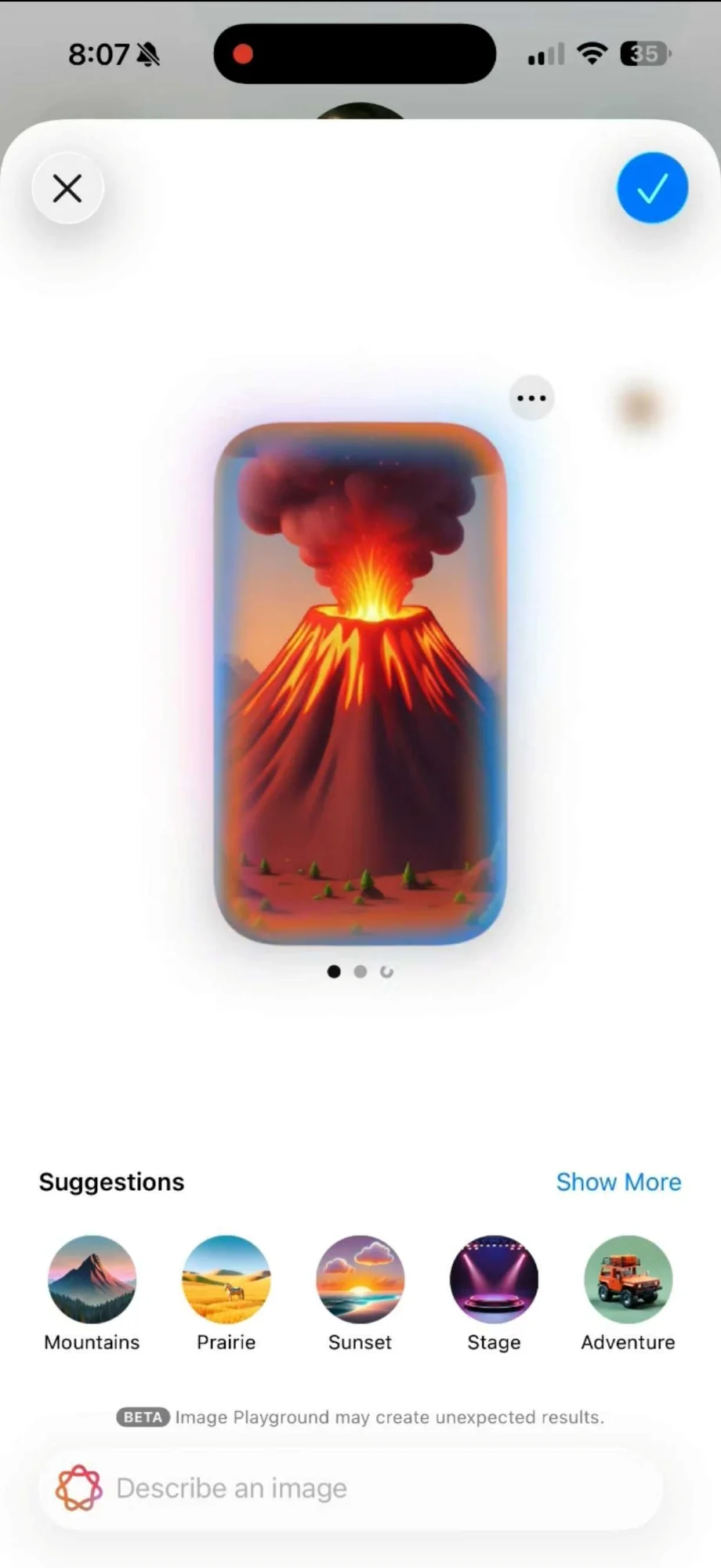
Moreover, the current implementation doesn't allow chat themes to sync across devices. This limitation could leave users with an isolated experience, and potentially stifle the communal fun seen in apps like Apple Messages. For instance, imagine sharing a theme with a friend, only for them to see a plain background instead of the vibrant, personalized one you picked. A potential solution could be to introduce a toggle that would enable users to share their theme choices selectively, allowing for collaborative customization. What this means for you is an opportunity to enhance your chats and make them more visually appealing.
On a final note, some technical issues have cropped up. A bug can freeze the Google Messages app if a theme is selected but not applied, requiring a restart for resolution. While this may not impact all users, it’s a glitch worth addressing in future updates. Users shouldn't have to struggle with the basic functionality of a messaging app while also trying to personalize their experience.
Future Outlook for Google Messages Chat Themes
As Google continues to refine and expand its chat theme capabilities, there's potential here that could redefine how users engage with the app. The demand for customization options is growing, with users increasingly expecting tools that reflect their identities and preferences. If Google can integrate AI-driven features and cross-device sync, it might not only enhance the user experience but position Google Messages as a more formidable player against competitors like Apple and WhatsApp.
This is more significant than it looks. The ability to personalize a messaging platform isn't just about aesthetics; it plays a role in user loyalty. As more users gravitate toward platforms that meet their emotional and practical communication needs, Google might find itself at a tipping point where these enhancements could either propel the app to greater heights or leave it languishing behind more engaging options. If you're working in this space, consider how personalization can keep users connected—not just through messages, but through an immersive experience that resonates on a deeper level.