Apple's latest iOS 27 has significantly tackled one of the most debated features: the Liquid Glass effect. Early reactions were mixed, with users divided over its aesthetic appeal and practicality. The introduction of a slider allows users to precisely adjust transparency, effectively resolving previous legibility concerns.
A Closer Look at iOS 27's Liquid Glass Effect
The Liquid Glass effect has stirred controversy since its debut. While some users appreciated its sleek design, others found the text readability to be a major drawback, especially when text overlapped. The initial implementation wasn't well-received; many users struggled to read overlaid text, particularly in tabs or buttons. Apple listened and initially offered a toggle switch, which provided some relief but was still limited. The reality is, design is subjective, and what works for some can hinder others.
Enhancements in User Experience
With iOS 27, the slider introduces much-needed flexibility. Users can now fine-tune the effect according to their preferences—from a completely transparent look to a frosted appearance that offers maximum opacity, which is akin to turning off the effect entirely. This granularity is essential for enhancing user experience. Apple seems to have recognized that a one-size-fits-all approach doesn't apply to its diverse user base.
I tested iOS 27 with the Liquid Glass setting all the way up. Contrary to my expectations, Apple has made notable improvements that maintain text legibility, even at maximum transparency. For instance, in the Messages app, interaction with layered texts showcases the capability of the system to differentiate foreground and background content effectively. This shift is more than just a change in sliders; it represents Apple's ongoing commitment to user-centric design. Users are now interacting with the software rather than simply responding to it.
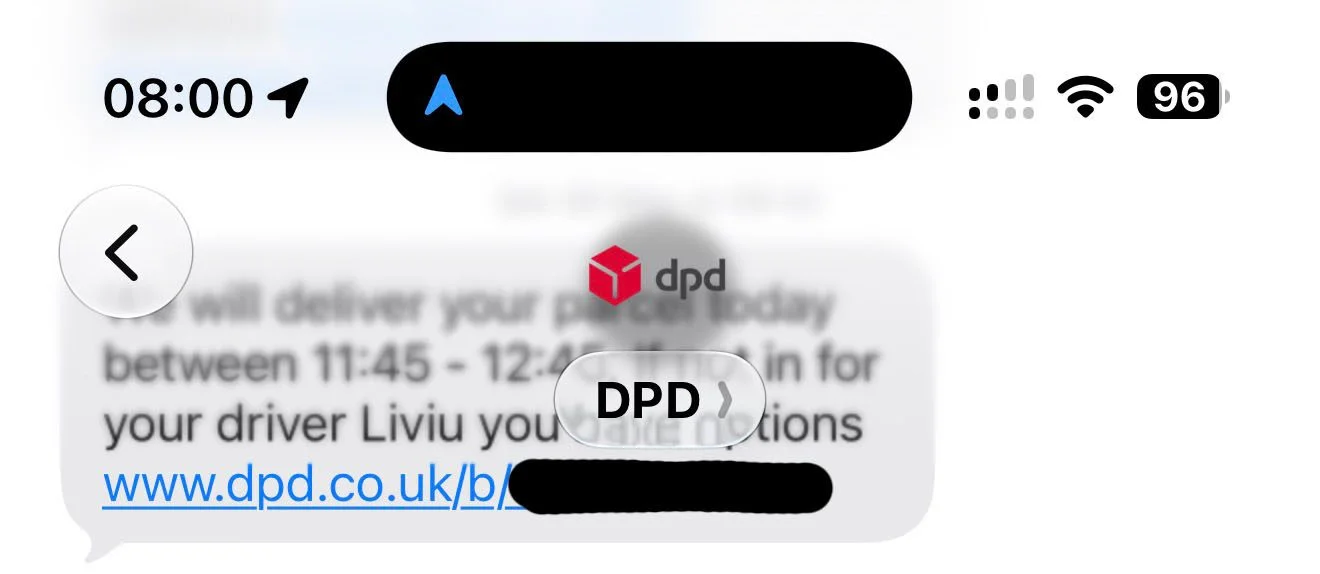
This enhancement is apparent in various scenarios, solidly addressing the core issues of the previous version. I've been using the maximum transparency setting without encountering any readability problems, which is a significant step forward for usability. Engaging with the content this way feels somewhat liberating, especially compared to earlier versions where transparency felt more like a barrier than a feature.
Feedback Loop: The Slider's Potential
Interestingly, this slider also opens doors for further developments. Given its success, there’s a possibility that Apple could extend the slider range, allowing for even clearer settings based on user feedback. Some speculate that Apple may even be gathering anonymized data on how users are adjusting their settings, potentially driving future refinements. In a tech climate where customer subjective experience often shapes future iterations, Apple’s move can be seen as proactive. If you think about it, this could also mean they’re not just responding reactively but embracing a model that allows for adaptative growth in user interface design.
If you're running the developer beta of iOS 27, I encourage you to experiment with the slider yourself. It’s fascinating to see how preferences play out in real-world usage. What’s your experience with the Liquid Glass effect? Your insights in the comments could provide valuable feedback. This is where community engagement can truly impact product refinement and development; user experience is democratic now, and companies that listen will continue to thrive.
Implications for Future iOS Versions
The impact of these adjustments goes beyond mere aesthetics or functionality; they signify a thoughtful response to user engagement and feedback. Apple has demonstrated maturity in its design approach by allowing users to modify elements that previously caused dissatisfaction. The success of this feature might lead to deeper integrations of customizable elements in other areas of the operating system.
Looking ahead, if this level of responsiveness remains a hallmark of Apple’s development practices, it could set a standard for other tech giants to follow. The flexibility introduced with the slider could inspire future features that prioritize user input over uncompromising design directives. This isn't just about what users want; it's a window into a future where user behavior may dictate the evolution of software.
- Official Apple Store on Amazon
- Discounted AirPods Pro 3
- Wireless CarPlay adapter
- AirTag holders and accessories
- Mac Pro-style Mac mini casing
- NordVPN – privacy-first VPN with no logs and independent audits to verify


FTC: We use income earning auto affiliate links. More.